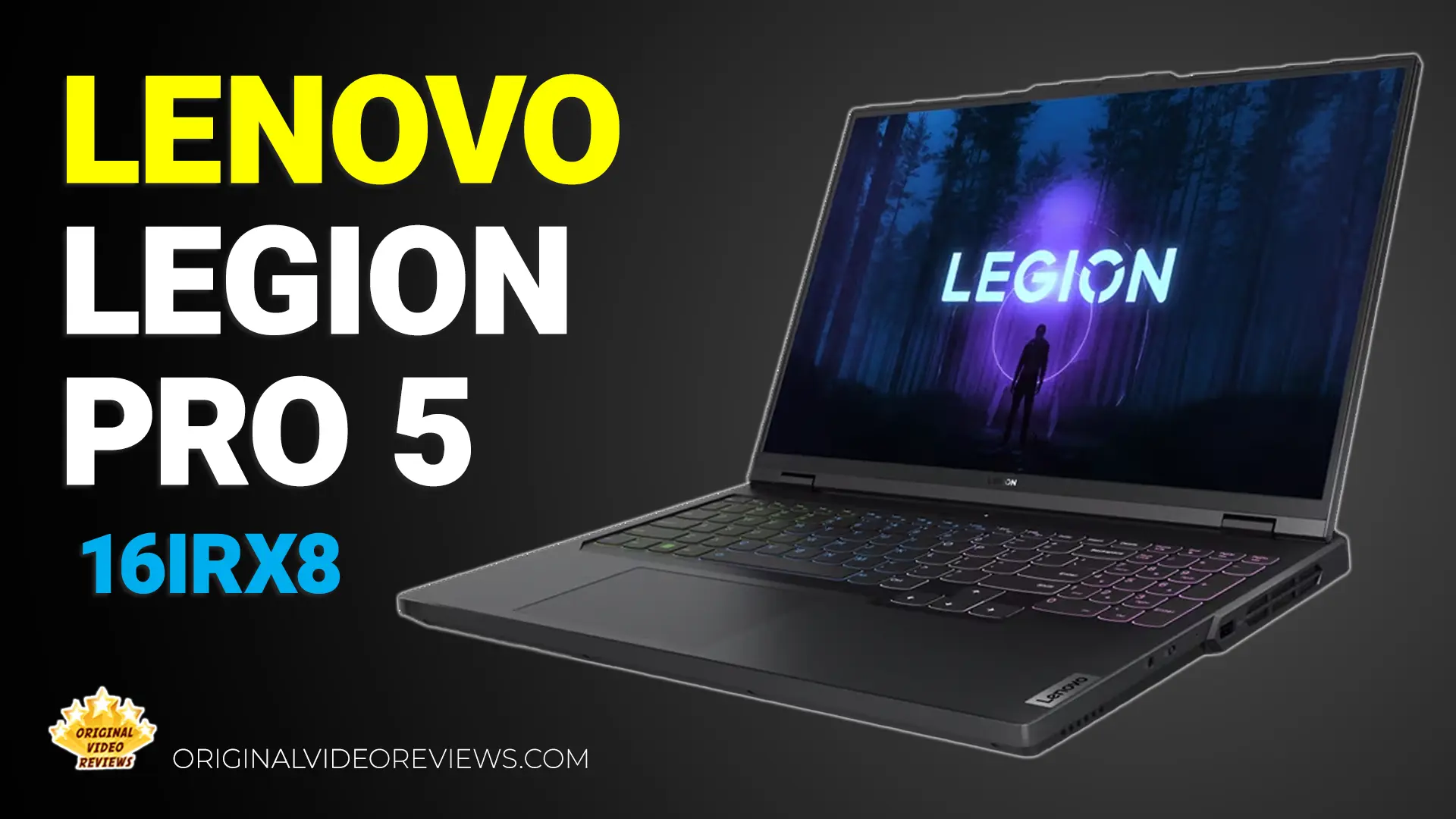
Lenovo Legion Pro 5 16IRX8 A powerful 16-inch laptop for creators and gamers alike
Overview
My main laptop's warranty just ended, and in my experience that's usually the clearest sign it's time to upgrade the hardware. I started looking for something that would deliver solid performance and hold up for the next three years.
Content creation, video editing, gaming, and all the other things I test as part of my reviews here on OVR mean I need a powerful, versatile machine. At the same time, I like finding the sweet spot: strong, current specs at the most attractive price I can find, without tipping into the kind of overkill setup built for a narrow audience like serious gamers or professional video editors.
The main things I cared about were a strong processor, at least 32GB of RAM, and a fast SSD of at least 1TB. For portability, I stuck with the 15.6 to 16-inch standard, since I mostly work from home or the office, with the occasional trip out for meetings or travel abroad. Even then, I want a laptop that delivers the same performance outside the house without compromise.
The best deal I came across was on the Lenovo Legion Pro 5 16IRX8, and it happened to come with a 40-series graphics card, the newest lineup at the time, though I'm well aware that laptop GPUs don't come close to matching desktop performance.
I've owned a few Lenovo laptops before, and in most cases they turned out to be solid deals. I didn't compromise, and honestly felt like I was playing it safe.
Let's see if this laptop repeats that formula, or if it's the exception.
Product description
- Brand
- Lenovo
- Model No.
- Legion Pro 5 16IRX8
- Type
- Gaming & Creator Laptop
The Legion Pro Series
Legion Pro is Lenovo's gaming and creator laptop line, positioned to cover demanding workloads like gaming, video editing, and content creation without moving into the niche, higher-priced territory of Lenovo's Legion Pro 7 or specialized workstation lines.
Design & Build
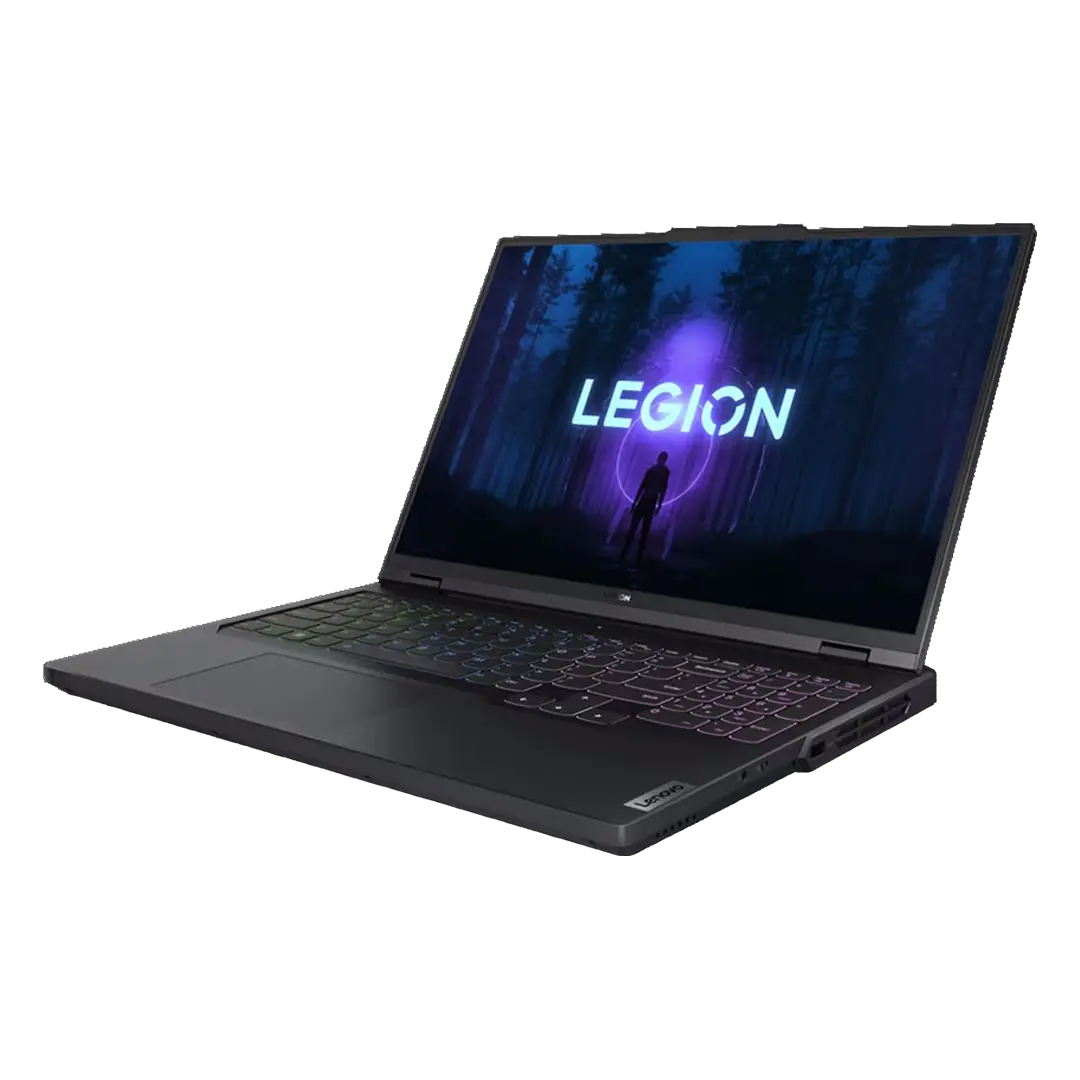
The Legion Pro 5 16IRX8 pairs an aluminum top panel with a PC-ABS (a durable, impact-resistant plastic) bottom chassis, and keeps a design language that stays understated rather than leaning into an overtly "gamer" look, so it fits an office or studio setting as easily as a gaming desk. It weighs approximately 2.55 kg (5.6 lbs).
Display
The display is a 16-inch WQXGA (2560x1600, a resolution sharper than standard Full HD but below 4K) IPS panel, non-touch, with a refresh rate of up to 240Hz (how many times per second the image updates, higher means smoother motion) and 100% sRGB color coverage. Lenovo states it also supports Dolby Vision, NVIDIA G-SYNC (technology that reduces screen tearing/stuttering during fast motion), and Advanced Optimus (lets the laptop switch automatically between its efficient integrated graphics and the dedicated GPU without a restart), with higher-tier panel configurations adding DisplayHDR 400 certification (a standard guaranteeing a minimum brightness and contrast level for HDR content).
Processor
Processing power comes from a 13th Gen Intel Core i5, i7, or i9 processor, with the tested configuration running the Core i9-13900HX, the top option in the lineup.
Graphics
Graphics are handled by an NVIDIA GeForce RTX 4060 Laptop GPU (a dedicated chip for rendering images and video, separate from the processor, important for gaming and video editing) with 8GB of GDDR6 memory and a 140W TGP (the maximum power, and roughly the performance ceiling, the graphics chip is allowed to draw), with configurations available up to an RTX 4070. Lenovo lists support for DLSS 3 and Dynamic Boost 2.0 (technologies that boost gaming frame rates) and DirectX 12 Ultimate (a graphics standard enabling more realistic lighting and effects in supported games).
Memory
Memory support goes up to 32GB of dual-channel DDR5 (RAM, the laptop's short-term working memory used while programs are running) across two SO-DIMM slots.
Storage
Storage supports up to two M.2 2280 PCIe 4.0 SSDs (solid-state drives, a fast type of storage with no moving parts, used for the operating system and files), with each drive supporting capacities up to 1TB.
Keyboard & Touchpad
The keyboard is a 6-row layout with a numeric keypad and a customizable 4-zone RGB backlight (blue and white backlight variants are also offered on other configurations), paired with a buttonless, Mylar-surface multi-touch touchpad.
Ports & Connectivity
On connectivity, the laptop includes Gigabit Ethernet, Wi-Fi 6 (or Wi-Fi 6E on some configurations) with Bluetooth 5.1, one HDMI 2.1 port (up to 8K@60Hz), a 3.5mm headphone/microphone combo jack, and four USB ports: one USB 3.2 Gen 1 (always on), two USB-C 3.2 Gen 2 (one supporting Power Delivery up to 140W, meaning it can also charge the laptop), and three additional USB 3.2 Gen 1 ports.
Specifications
Core Specifications
| Processor & Graphics | |
| Processor Family | 13th Generation Intel® Core™ i5 / i7 / i9 Processor Up to 13th Gen Intel® Core™ i9-13900HX |
| Operating System | Windows® 11 Home |
| Graphics | NVIDIA GeForce RTX 4060 Laptop GPU Memory: 8GB GDDR6 | Boost Clock: 2370 MHz | TGP: 140W | Key Features: Advanced Optimus, DLSS 3, Dynamic Boost 2.0, VR ready, DirectX 12 Ultimate. Up to NVIDIA® GeForce RTX™ 4070 |
| Monitor Support | Supports up to 4 independent displays (native display and 3 external monitors via HDMI® and USB-C®) HDMI supports up to 4K@60Hz | USB-C supports up to 4K@60Hz |
| Chipset | Intel HM770 chipset |
Memory
| RAM | |
| Max Memory | Up to 32GB DDR5-4800 offering Up to 32GB DDR5-5600 offering |
| Memory Slots | Two DDR5 SO-DIMM slots, dual-channel capable |
Storage
| Drives & Slots | |
| Storage Support | Up to two drives, 2x M.2 SSD M.2 2280 SSD up to 1TB |
| Storage Slot | Two M.2 2280 PCIe® 4.0 x4 slots |
| Card Reader | No card reader |
Multi-Media
| Audio & Camera | |
| Audio Chip | High Definition (HD) Audio, Realtek® ALC3306 codec |
| Speakers | Stereo speakers, 2W x2, optimized with Nahimic Audio |
| Microphone | Dual-microphone array |
| Camera | FHD 1080p, with E-shutter, fixed focus HD 720p variant also offered, with E-shutter, fixed focus |
Power & Battery
| Battery & Charging | |
| Battery | Integrated Li-Polymer 80Wh battery, supports Super Rapid Charge Pro 10min charge 0~40% capacity, 30min charge 0~80% capacity, 60min charge 0~100% capacity |
| Max Battery Life | MobileMark® 2018: 5.3 hr Local video (1080p) playback@150nits: 6.5 hr |
| Power Adapter | 230W slim tip (3-pin) AC adapter, 100-240V, 50-60Hz 300W slim tip (3-pin) AC adapter also offered, 100-240V, 50-60Hz. AC adapter offerings depend on the country. |
Display
| Screen | |
| Size | 16" |
| Resolution | WQXGA (2560x1600) |
| Touch | Non-touch |
| Type | IPS |
| Brightness | 300nits / 500nits |
| Surface | Anti-glare |
| Color Gamut | 100% sRGB |
| Contrast Ratio | 16:10 Value unverified — see flag above, may be swapped with Aspect Ratio in source data |
| Aspect Ratio | 1200:1 Value unverified — see flag above, may be swapped with Contrast Ratio in source data |
| Refresh Rate | 165Hz / 240Hz |
| Viewing Angle (L/R/U/D) | 89°/89°/89°/89° |
| Color Calibration | X-Rite® factory color calibration |
| Key Features | Dolby® Vision™, NVIDIA G-SYNC®, Advanced Optimus support, TÜV Low Blue Light Higher-tier panel offering also includes: DisplayHDR™ 400, TÜV High Gaming Performance |
Input Device
| Keyboard & Touchpad | |
| Keyboard | 6-row, multimedia Fn keys, numeric keypad, black keycaps |
| Keyboard Backlight | 4-Zone RGB backlight Blue backlight and white backlight variants also offered |
| Touchpad | Buttonless Mylar® surface multi-touch touchpad 75 x 120 mm (2.95 x 4.72 inches) |
Dimensions & Build
| Size & Materials | |
| Dimensions (WxDxH) | 363.4 x 260.35 x 22.45–26.75 mm 14.31 x 10.25 x 0.88–1.05 inches |
| Weight | Approx. 2.55 kg (5.6 lbs) |
| Case Material | Aluminium (top), PC-ABS (bottom) |
Connectivity
| Networking & Ports | |
| Ethernet | Gigabit Ethernet, 1x RJ-45, supports Wake-on-LAN |
| WLAN + Bluetooth | Wi-Fi® 6, 802.11ax 2×2 Wi-Fi + Bluetooth® 5.1, M.2 card Wi-Fi 6E variant also offered, 802.11ax 2×2 Wi-Fi + Bluetooth 5.1, M.2 card |
| Standard Ports | 1x Ethernet (RJ-45), 1x HDMI 2.1 (up to 8K@60Hz), 1x headphone/microphone combo jack (3.5mm), 1x power connector, 1x USB 3.2 Gen 1 (Always On), 1x USB-C 3.2 Gen 2 (data transfer + DisplayPort™ 1.4), 1x USB-C 3.2 Gen 2 (data transfer, Power Delivery 140W + DisplayPort 1.4), 3x USB 3.2 Gen 1 |
Inside the box
Pros
Powerhouse PerformanceWhether editing video, creating content, or gaming, this laptop has the power and versatility to handle demanding software, apps, and games with ease thanks to its hardware specifications.
Subtle SophisticationThe Legion Pro 5 has a customizable RGB keyboard, but the overall design stays sleek and professional rather than leaning into gamer clichés, so it blends into an office or a creative setup just as well.
Clean Connection HubMany of the ports sit at the back, which keeps cable clutter off the desk.
Audio QualitySound is clearer than I expected, and better than what I got from my previous laptops.
WebcamNot razor-sharp, but the built-in 1080p webcam delivers respectable video quality for basic communication and content creation, with a relatively wide lens and a top-of-screen position.For professional-grade results, an external webcam upgrade is still recommended.
Decent DisplayThe large 16-inch IPS display delivers a solid visual experience for daily use thanks to its WQXGA 2560x1600 resolution.Not a 4K display, so power users focused on high-resolution work might see it as a compromise.
Quiet OperationDespite its power, the laptop stays relatively quiet under most workloads.
Cons
Not Quite 4KThe display's WQXGA (2560x1600) resolution falls short of the 4K panel on my previous laptop. Not everyone needs the extra resolution for their workflow, and the display's overall quality remains good.
Large Power BrickRoughly a third of the size of the laptop itself, it's significantly bigger than any other laptop charger I've used, and a spare costs around $200. That means adjusting the usual habit of keeping separate chargers at home and for travel.
No Memory Card ReaderFor the first time in a decade of using laptops, I missed a built-in memory card reader. It adds an extra step to transferring files from cameras and other devices, requiring a separate adapter.
Privacy Peeking ConcernsThe physical camera button offers some control over camera activation, but it doesn't provide the same peace of mind as a visible shutter closure. A separate, dedicated eye-shutter cover remains a readily available solution.
No Fingerprint ScanThis laptop doesn't include a fingerprint reader, which removes one layer of security compared to my previous laptops. Not a dealbreaker for me.
Overall Verdict
My overall experience with this laptop has been very positive, proving to be exceptionally reliable without any real problems. Software maintenance has been efficient thanks to the bundled Lenovo Vantage app keeping firmware and applications updated.
Performance-wise, the laptop handles a heavy daily workload smoothly, running Windows 11 throughout, and typically managing around 5 browser windows, 40 open tabs, video/photo editing software, spreadsheets, word processors, and resource-heavy AI tools like Claude Desktop. While it stays relatively quiet (the quietest I've owned) and warms up moderately under load, I've recently noticed a slight slowdown tied directly to AI tools running with system permissions, something I plan to look into further.
On the positive side, traveling with it in a laptop backpack has been completely trouble-free with zero broken or loose components over the years. Using a portable 60W Lenovo charger on the go also proved to be a great, budget-friendly alternative to carrying the heavy stock brick.
On the downside, the display is fairly basic: colors, viewing angles, and brightness are a step down from a 4K panel, but it isn't bad, it just does the job without being especially impressive (and easily managed since I mostly use external monitors anyway). The built-in speakers are also a real weak point, with low volume that makes external audio gear basically necessary.
Additional notes include a fine, responsive keyboard, though the area to the right of the touchpad tends to collect sweat from heat unless typing with raised hands. The touchpad itself is solid: large and responsive, nothing particularly special, and I mostly relied on an external mouse anyway. On the few occasions I was stuck without one, it worked fine. Meanwhile, the RGB lighting provides a nice, restrained, and customizable touch without going overboard.
Three years on, this purchase has held up well. It's not a flashy laptop in every category, but where it mattered most, performance and reliability, it delivered.
I played it safe with this laptop, and three years later, I'd make the same call again.
Where to buy
Below is the link to purchase the Lenovo Legion Pro 5 16IRX8:
Photos
Additional Links
Legion 5 Series Laptops
Lenovo's official product page
Legion Pro 5 16IRX8 Full Specs
Lenovo's official product specifications reference (PSREF)
Additional Videos
Official Manufacturer Overview (Lenovo)
FAQ
Will the strong CPU bottleneck the mid-range GPU?
Does the Legion Pro 5 16IRX8 support USB-C PD (Power Delivery) charging?
Can the storage be upgraded, or can a second SSD be added?
Got questions about the Lenovo Legion Pro 5 16IRX8 Laptop?
Already purchased the Lenovo Legion Pro 5 16IRX8 Laptop yourself?
More Laptops
Laptop Reviews
Check out my full collection of laptop reviews, tested hands-on for performance, display quality, and everyday use.
Explore All ReviewsSubscribe OVR channels
Choose the channels you like and subscribe on YouTube.
Disclaimer
This post contains affiliate links.
Please check out my disclosure policy for more details.
Thank you for your support & understanding!

Comments