Overview
As someone who has always been intrigued by the idea of enhancing my content creation process, I was interested in exploring devices that promise to contribute to the efficiency of my workflow.
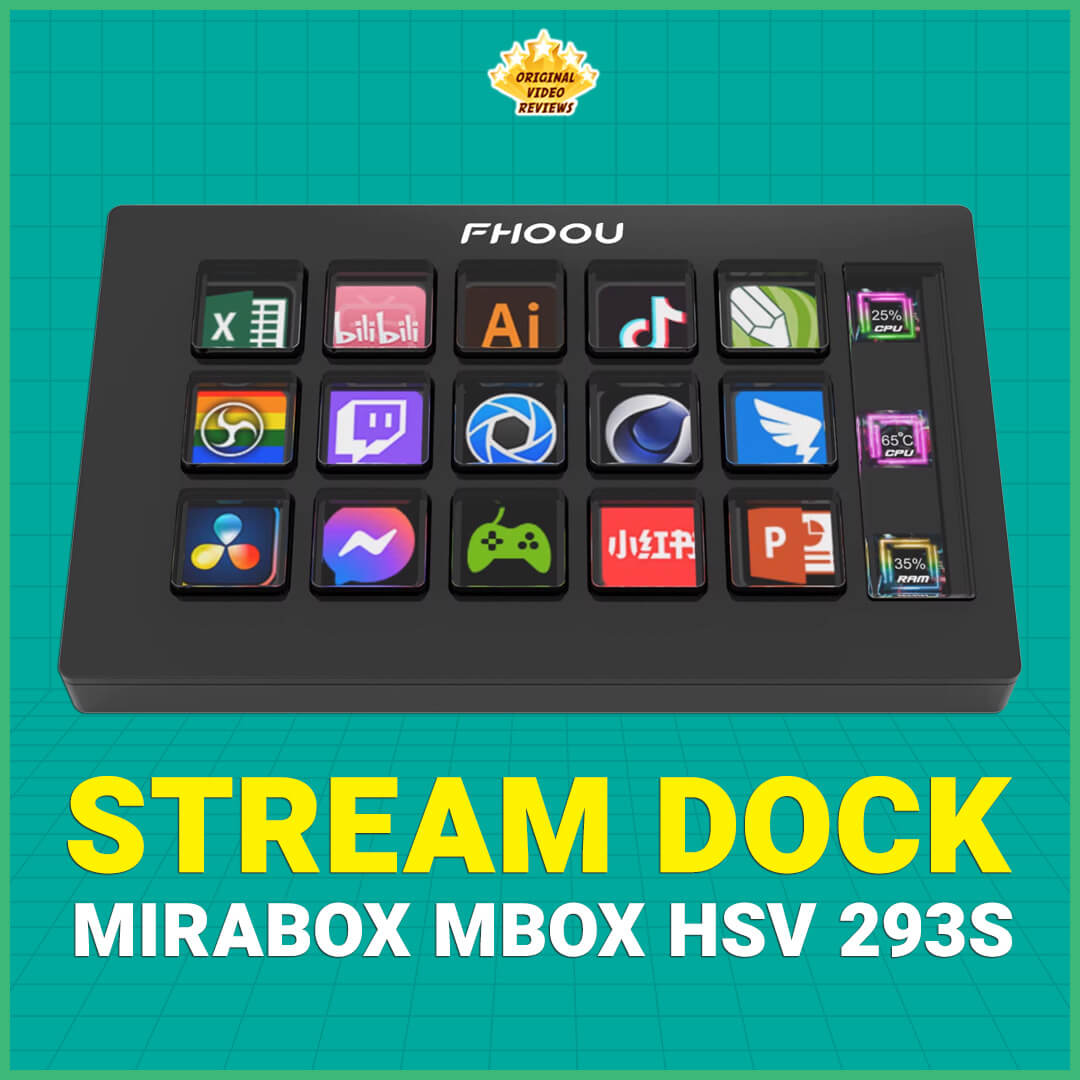
With that in mind, I decided to take a closer look at the MiraBox Mbox HSV 293S Slim Stream Dock. This budget-friendly alternative to the well-known Elgato Stream Deck series piqued my interest as a potential addition to my setup.
My goal was to determine whether the Slim Stream Dock was just a cool gadget or if it could genuinely make a significant impact on my content creation journey—all without breaking the bank.
Product details
Brand: MiraBox / FHOOU
Model: Mbox / HSV 293S / Slim Stream Dock / Stream Dock Mini / 15 Keys (Black)
This Stream Dock is a digital compact keyboard designed to enhance the workflow of content creators and streamers, including gamers, video editors, podcasters, and more. This versatile controller triggers actions in various apps and software such as OBS, Twitch, YouTube, and more.
Compatible with both Windows and MacOS operating systems, the Stream Dock features 15 macro keys, that are basically customizable LCD buttons. These buttons allow you to assign specific functions to each key, making it easy to switch between different applications or actions such as switching scenes during live streams, adjusting audio levels, or activating complex macros.
Specifications
| Weight | 11.2 ounces (~ 320 grams) |
| Dimensions | 5.83 × 2 × 5.59 inches (~ 14.8 × 5.1 × 14.2 cm) |
| Compatible Devices | Laptop, PC, Tablet |
| Operating Systems | Windows / MacOS |
| Connector Type | USB Type-C |
| Material Type | Acrylonitrile Butadiene Styrene (ABS) |
| Number of Keys | 15 |
| Keys Backlight | Yes, LCD Keys |
| Power Rating | 5V / 500 mA |
Inside the box
- Stream controllerx1
- Removable standx1
- USB-C cablex1
- User manualx1
Pros
Price: The Slim Stream Dock offers similar functionality to the Elgato Stream Deck MK.2, but at a much more affordable price.
Easy Setup: The setup process is straightforward, using the Stream Dock app. Any changes made in the app are reflected on the stream deck’s display in seconds.
Responsiveness: The display and controller are highly responsive, whether you’re setting up the keys, switching between different modes, or pressing the keys to prompt computer responses.
Display: The stream deck offers a wide variety of colors and a reasonable resolution. While it isn’t the sharpest, it is still adequate for displaying icons and readable text.
Removable Stand: If you prefer using the controller without the triangular stand, it’s easily detachable. This feature is beneficial for specific setups and modifications.
Cons
Software/App: The download process for the software/app isn’t as straightforward as I would have liked. Instead of downloading it from a reliable source, I need to use a direct link provided on the product’s back, the user manual, and the product’s page. When I try to search online for this website to ensure it’s a reliable source, I end up on a slow-loading Chinese site, which raises concerns about potential cyber security risks.
Wired Device: While I prefer to minimize the number of cables on my desk, this device requires a constant connection via a USB-C cable. Additionally, it occupies a USB-C port, which could be problematic if you have limited USB-C ports available. This is an important consideration for those with limited USB-C connectivity.
Summary
I will update this info soon
Where to buy
Below are links to purchase the Stream Dock 15 keys (or similar models):

Photos
User manual
I will update this info soon.
Additional links
Website:
Mirabox Space – This website is a source to download plugins, icons, scenes, panel themes for the Stream Dock.
FAQ
Got questions about the MiraBox Mbox Slim stream dock?
Feel free to drop them in the comments — I’ll do my best to help.
And if you’ve already tried the MiraBox Mbox Slim stream dock yourself, I’d love to hear your thoughts.
Your feedback might help others decide whether this stream dock is worth picking up.
Comments
Subscribe our channels
Choose the channels you like and subscribe on YouTube.
Follow us
Explore more content, updates and fun moments on social media.
Disclaimer
This post contains affiliate links. Please check out my disclosure policy for more details.
Thank you for your support & understanding!